Chrome extension · Developer preview v0.1.0
Do the work.
We'll document it.
Turn everyday browser workflows into professional step-by-step guides, complete with screenshots.
Free · 142 KB ZIP · Installed with Load unpacked. Installation steps
How it works
Three steps from workflow to manual.
- 1
Record
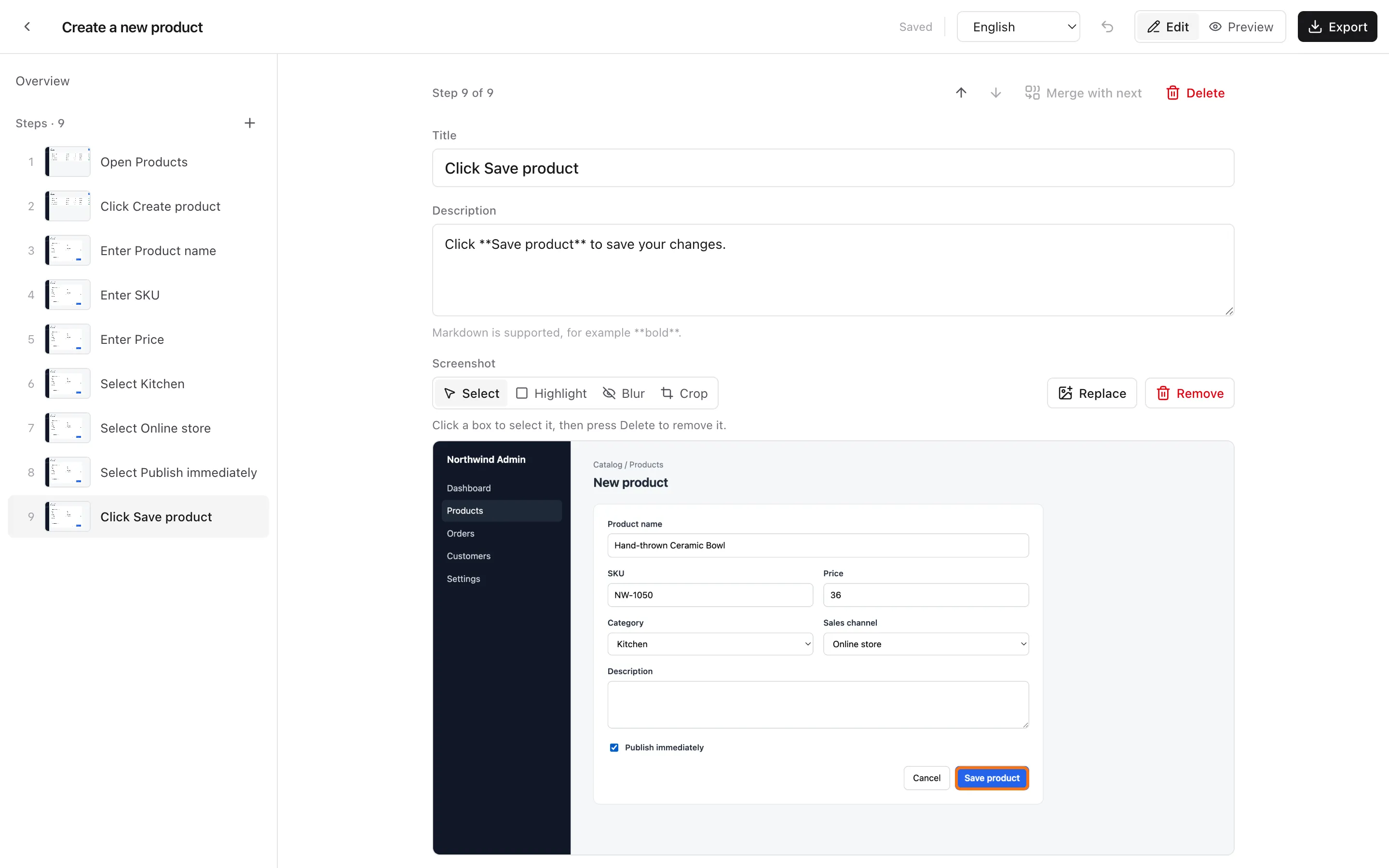
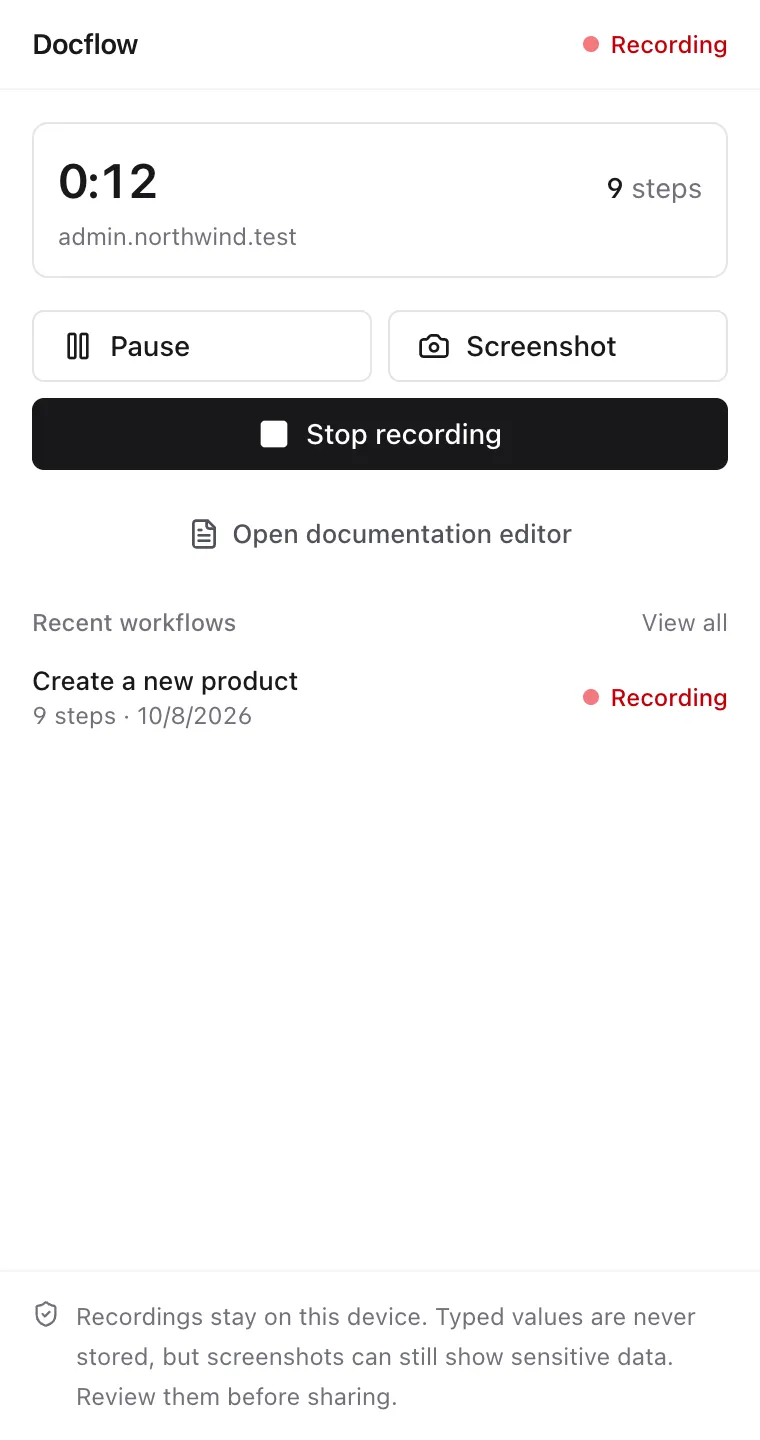
Start recording from the side panel and perform your workflow in any supported web application.
- 2
Review
Docflow organizes your actions into documentation steps with screenshots. Edit and refine them before exporting.
- 3
Export
Download a Markdown document with images, ready for further editing and sharing.
create-a-new-product.zip
└─ create-a-new-product/
   ├─ manual.md
   └─ images/
      ├─ step-01.png
      ├─ …
      └─ step-09.png
Features
Captures what matters. Leaves out the noise.
Smart workflow capture
Records meaningful clicks, page navigation, form fields, dropdowns and checkboxes. Typing becomes one step per field, not one per keystroke.
Automatic screenshots
Captures the visible page for each step and outlines the element you used. Take a manual screenshot whenever you need one.
Documentation editor
Rename, rewrite, reorder, merge or delete steps. Highlight, blur and crop screenshots before anything leaves your browser.
Markdown export
Download a ZIP with manual.md and numbered screenshots, ready to paste into a wiki, a repo or a document.
Local-first
Sessions and screenshots are stored in your browser. There is no account and no server to send them to.
English and Thai
Generated step text is available in English and Thai, and you can switch the language of a guide at any time.
From workflow to guide
You use the app. Docflow writes the manual.
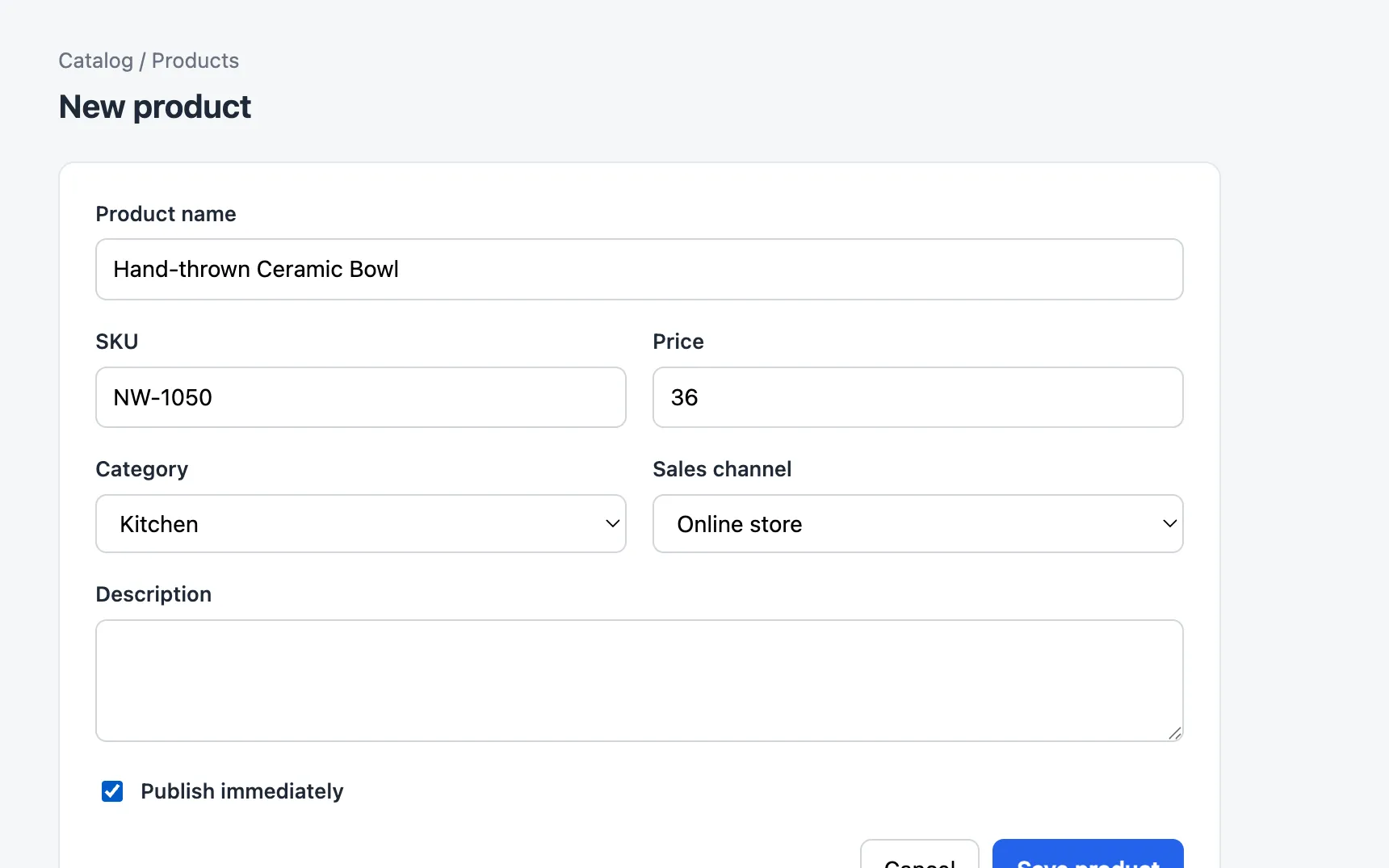
Fill in a form in the app you are documenting, as you normally would.
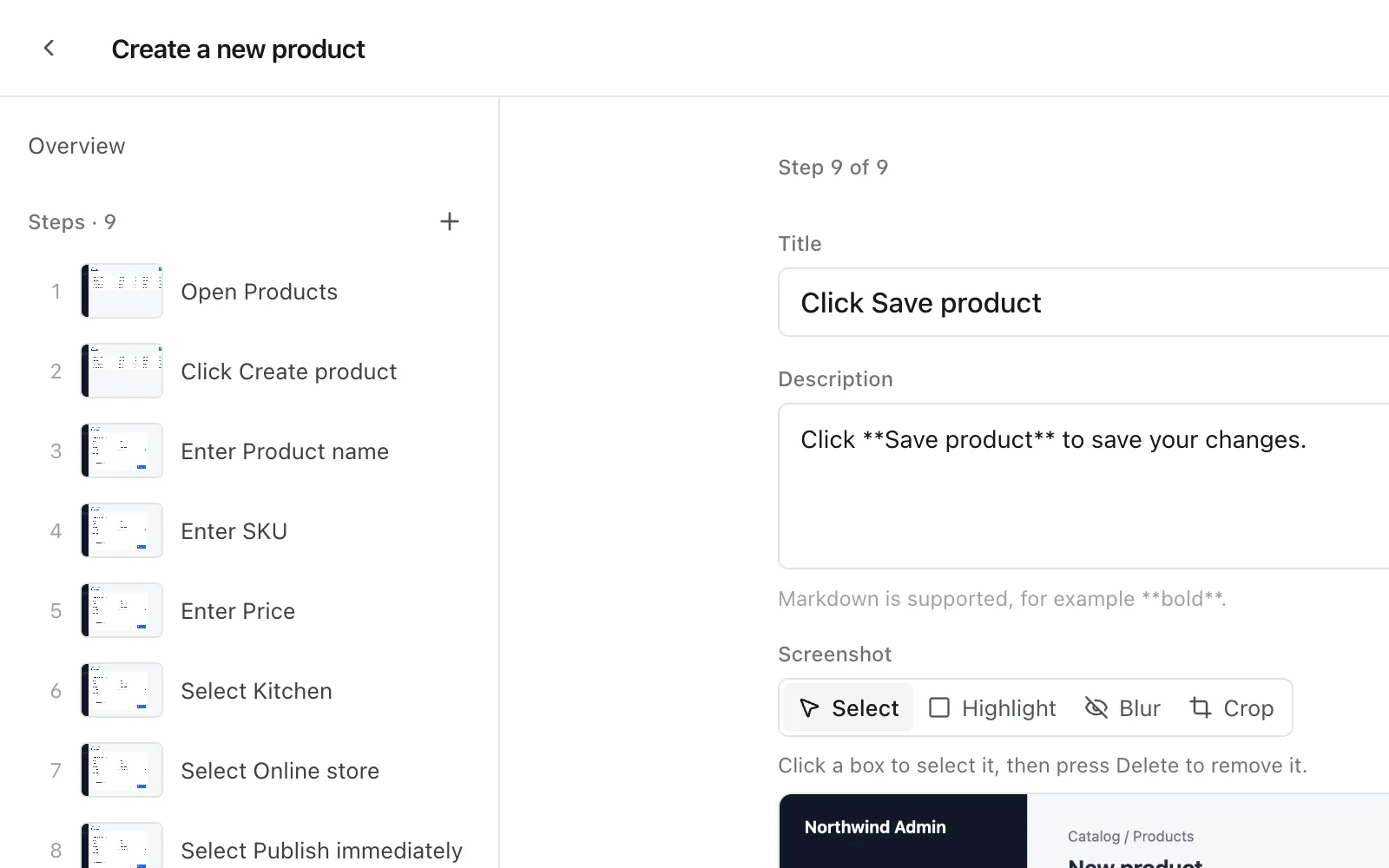
Each meaningful action becomes a step with a title, a description and a screenshot.
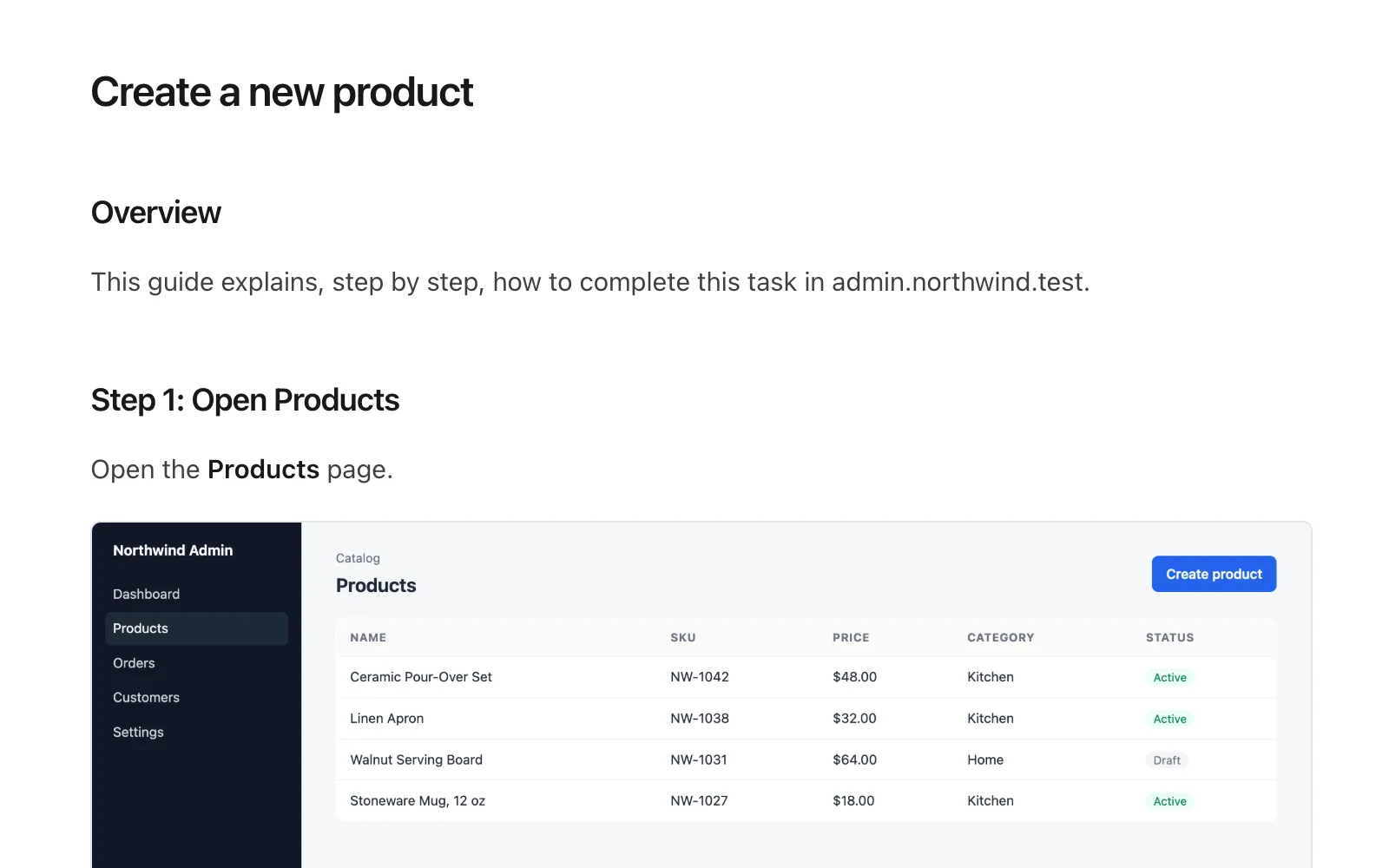
Preview the guide exactly as it will be exported to Markdown.
Who it's for
For anyone who explains software to other people.
- QA and software testers
- Turn a test run into reproducible steps with a screenshot at each point.
- Product teams
- Show exactly how a new flow works when you hand it to sales, support or docs.
- Customer support
- Turn repeated support instructions into reusable guides.
- Internal operations
- Create clear training materials for internal tools and back offices.
- Implementation teams
- Document an admin workflow without writing every step manually.
Local-first by design.
Docflow never stores what you type into password, payment or other fields. Screenshots, however, show whatever is on screen, so they can still contain sensitive information. Review and blur them before you share an export.
- No account required
- No backend needed for recording
- Recordings stored locally in your browser
- Screenshots reviewed before export
- No automatic cloud upload
- Typed values are never saved
FAQ
Questions, answered honestly.
Is Docflow free?
Yes. The developer preview is free to download and use. There is no account, trial or paid plan.
Do I need an account?
No. Docflow has no sign-in. You install the extension and start recording.
Does it work offline?
Recording, editing and exporting all run inside your browser and do not need a Docflow server. You still need access to whatever web app you are documenting.
Where are screenshots stored?
In your browser's local storage (IndexedDB) on your own computer. They are only written to a file when you export, and deleting a workflow removes its screenshots.
Can I edit the documentation?
Yes. Every step title and description can be rewritten (Markdown is supported), and steps can be added, reordered, merged or deleted. Screenshots can be highlighted, blurred, cropped, replaced or removed.
Can I export to Google Docs?
Not directly yet. Docflow exports Markdown with image files. You can paste the Markdown into Google Docs (which can import Markdown) or any Markdown-aware editor, then insert the images.
Does it work on every website?
It works on regular http and https pages after you grant site access when you first start recording. Chrome does not allow extensions to record its own pages (chrome://), the Chrome Web Store or the built-in PDF viewer. Interactions inside embedded frames are not recorded, and screenshots cover the visible part of the page only.
Stop writing manuals from scratch.
Record your workflow once. Turn it into documentation.